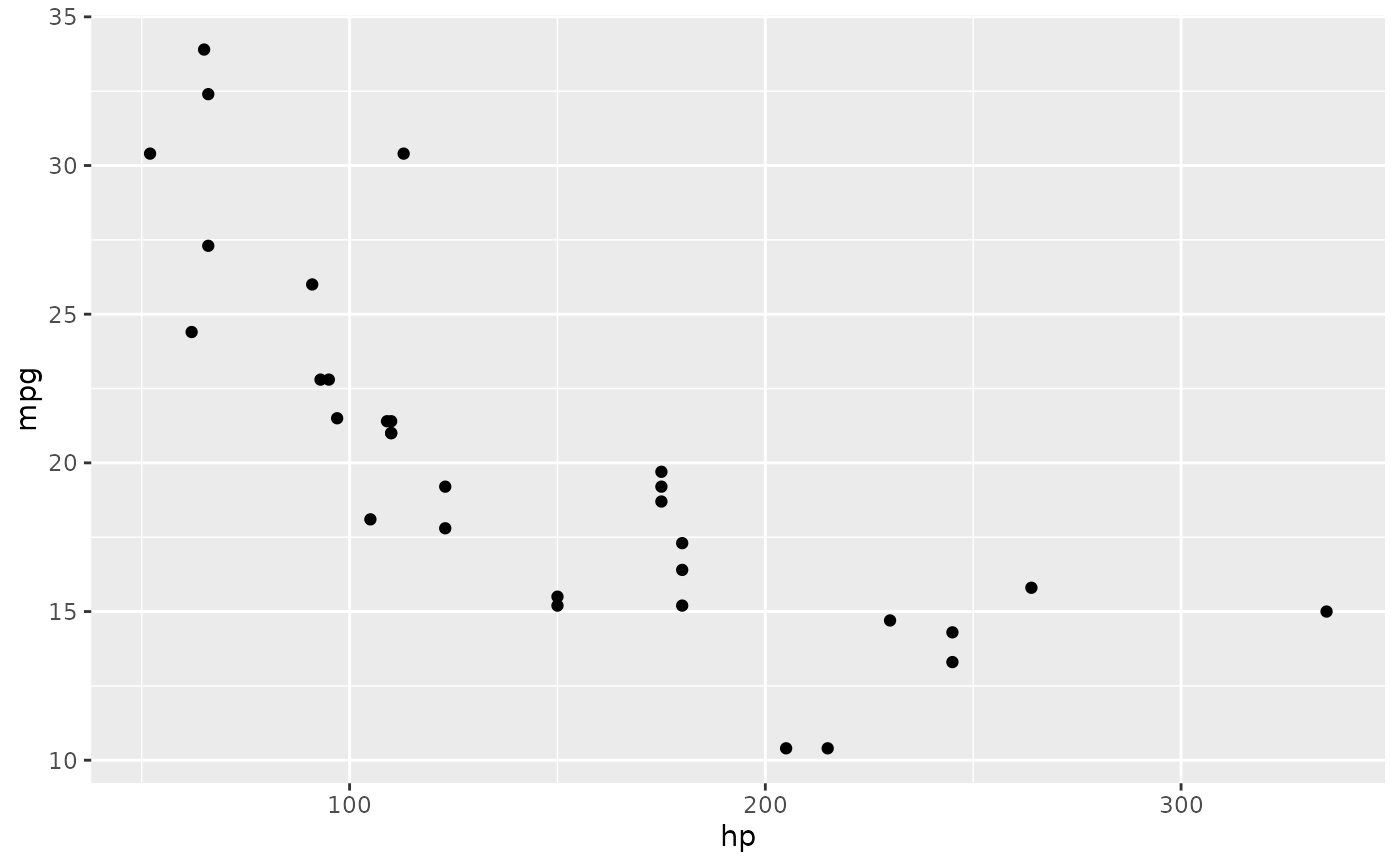
dbGetPlot takes a database connection and a SGL statement
and returns the corresponding plot.
Arguments
- con
A database connection (as returned by
DBI::dbConnect())- sgl_stmt
A SGL statement (string)
Examples
library(duckdb)
con <- dbConnect(duckdb())
#> duckdb keeps downloaded extensions and secrets in a temporary directory:
#> ℹ /tmp/RtmpMm0YzW/duckdb
#> This is removed when the R session ends.
#> • Extensions are re-downloaded each session.
#> • Secrets are lost.
#> ℹ Run duckdb(shared_home = TRUE) (or create ~/.duckdb) to keep them (suitable for most users).
#> ℹ Run duckdb(shared_home = FALSE) to accept the temporary directory (and silence this message).
#> ℹ See ?duckdb_storage for details and alternatives.
dbWriteTable(con, "cars", cars)
p <- dbGetPlot(con, "
  visualize
    horsepower as x,
    miles_per_gallon as y
  from cars
  using points
")
print(p)